12V 6A Smart Battery Charger Maintainer - Fully Automatic Trickle Charger
12V 6A Smart Battery Charger Maintainer - Fully Automatic Trickle Charger
Couldn't load pickup availability
-
Ordered
- - -
Order Ready
- - -
Delivered

12V 6A Smart Battery Charger Maintainer - Fully Automatic Trickle Charger
Keep Your Battery Ready.
Smart 12V 6A Charging & Maintenance for Everyday Vehicles

Reliable Charging Made Simple
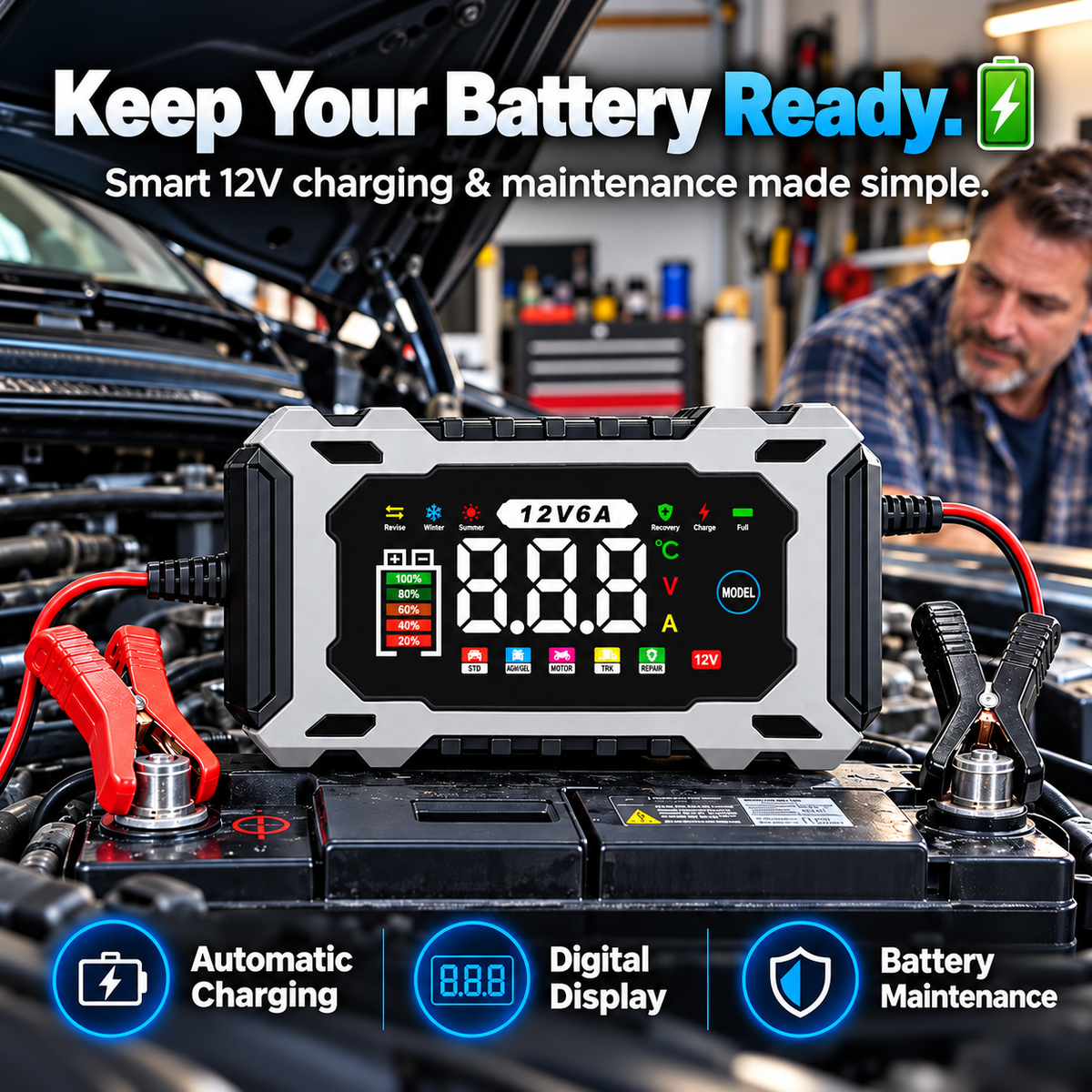
Keep your vehicle battery ready with a smart charger designed for convenient charging and maintenance. Its digital display helps you check charging information, while intelligent charging control adjusts the process according to the selected mode.

Smart Features for Everyday Convenience
Digital Display
View charging information and available voltage, current and temperature readings.
Automatic Charging
Helps regulate charging as the battery approaches its charged state.
Multiple Modes
Choose from supported vehicle and battery modes according to your needs.
Maintenance Mode
Helps maintain a compatible battery after charging, following the product instructions.

Clear Information at a Glance
The easy-to-read digital interface displays charging status and other available readings, helping you understand the charging process without complicated guesswork.
- Battery level indicator
- Voltage and charging current readings
- Selected charging mode indicator
- Charging and fully charged status indicators

Additional Care for Compatible Batteries
The pulse repair mode is designed to assist with certain compatible aging batteries. Results depend on battery condition and type. It is not intended to repair physically damaged, failed or otherwise unsuitable batteries.
Versatile Applications
Suitable applications may include compatible 12V batteries used in:
Cars & SUVs
For routine battery charging and maintenance.
Motorcycles
For compatible motorcycle batteries.
Seasonal Vehicles
For compatible vehicles stored between trips or seasons.
Home Garage
A practical addition to your vehicle maintenance tools.

Easy to Use, Step by Step
- Check the battery type and confirm compatibility with the charger.
- With the charger disconnected from power, connect the red clamp to positive (+) and the black clamp to negative (−), following the product manual.
- Connect the charger to the appropriate power supply.
- Select the correct charging mode and monitor the display.
- When finished, disconnect the power supply before removing the clamps, following the manual.
Stay Ready for Every Journey
Smart charging. Clear information. Convenient battery maintenance.